
ArgoCD Monitor#
A React + TypeScript + Vite dashboard for monitoring ArgoCD application state.
Source |
|
|---|---|
Container |
|
Helm Chart |
|
Documentation |
|
Releases |
Features#
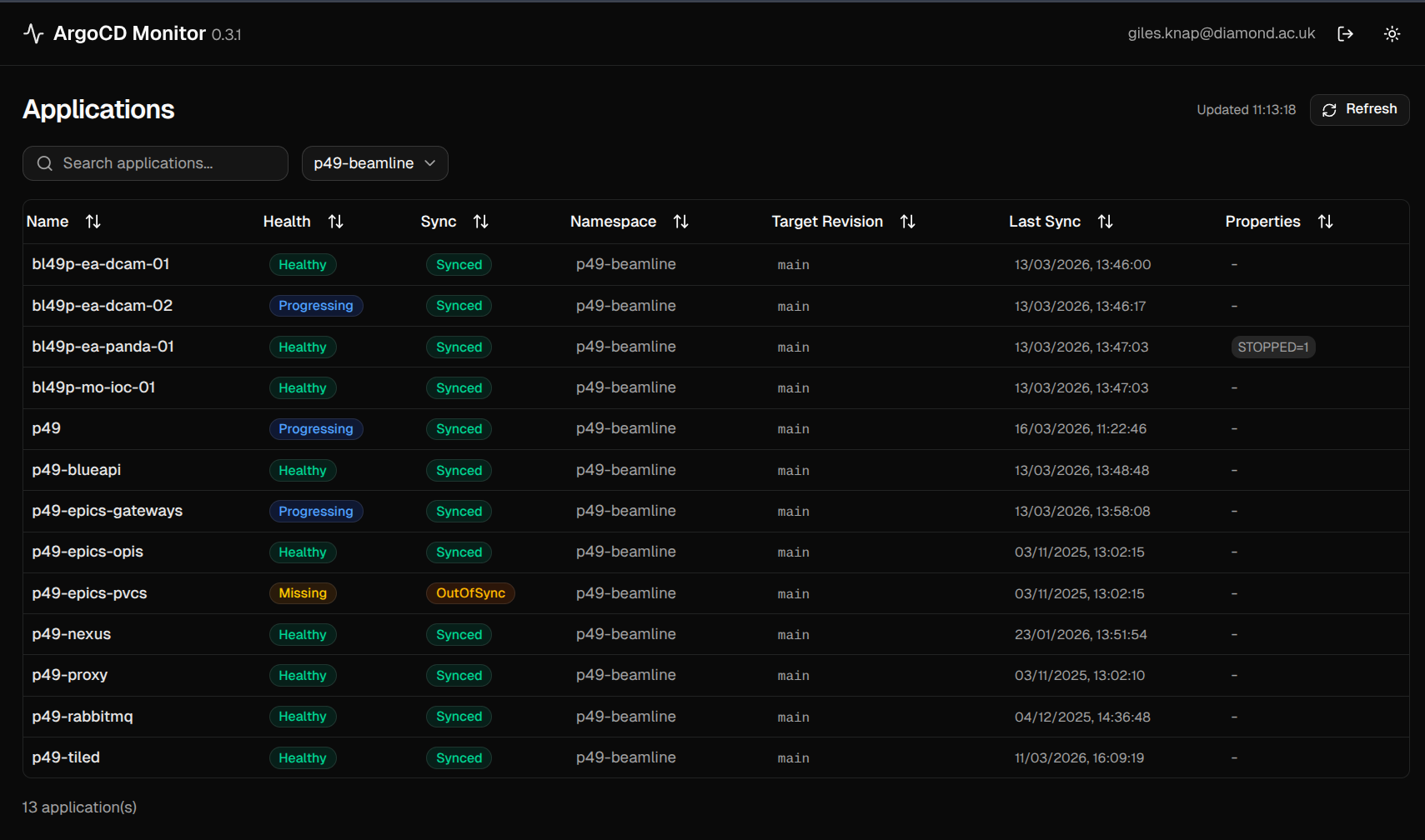
Real-time application health and sync status overview
Sortable, filterable applications table
Detailed application view with pod info, images, and age
Pod log streaming with container selection
Pod restart with confirmation dialog
Automatic token refresh for uninterrupted sessions
Light and dark theme support
Example Screenshot#
Quick Start#
The easiest way to run this project is using a Dev Container, which provides a fully configured development environment.
Clone the repository and open in VS Code:
git clone https://github.com/epics-containers/argocd-monitor.git
code argocd-monitor
Reopen in the Dev Container when prompted.
Copy
.env.exampleto.envand setARGOCD_AUTH_TOKEN.Start the dev server:
npm run dev
Open http://localhost:5173.
Kubernetes Deployment#
Install from the OCI Helm chart registry:
helm install argocd-monitor oci://ghcr.io/epics-containers/charts/argocd-monitor \
  --set argocd.url=https://argocd.example.com \
  --set ingress.enabled=true \
  --set ingress.host=argocd-monitor.example.com
How the documentation is structured#
Documentation is split into four categories, also accessible from links in the top bar.